
The process, step by step
How It Works
Drop your data. Ask a question. Get a chart, a written insight, and a shareable export — in under a minute. No dashboards, plugins, or SQL required.
Four steps from file to published insight
Upload any tabular file
Start with a CSV, TSV, XLS, or XLSX. The system inspects column types, identifies usable fields, and prepares your data. Signed-in uploads are saved to your private workspace so you can return to them any time.
- Handles messy headers and mixed column types
- No pre-cleaning required — basic structure is enough
- Files saved to your workspace when signed in
products.csv
Drop your file here
CSV · TSV · XLS · XLSX
| product | grade | energy_kcal |
|---|---|---|
| Organic Oats | A | 219 |
| Salted Crisps | D | 521 |
| Chocolate Bar | E | 412 |
| 4,994 more rows... | ||
Discover questions
AI-suggested questions
Or type your own
“Which grade has the highest average energy content?”
Let AI suggest where to start
This is the anti-blank-canvas moment. AI reads your data and generates contextually relevant questions you can click to start — or skip and type your own. The mode you pick shapes the chart architecture and the tone of the story.
Compare options, support a call
Distributions, correlations, outliers
One dramatic, shareable narrative
See the story. Then push it further.
AI generates a chart and a plain-language insight grounded in your actual data. Not happy with the angle? Ask a follow-up. Change chart types, labels, filters, or focus — each message updates the chart in place. No restarts, no configuration panels, no blank-page moment.
- Interactive chart grounded in your data
- Plain-language key insight written for you
- Refine via chat: chart types, colors, filters, focus
- Ask follow-up questions about the data
Generated insight
Key Insight
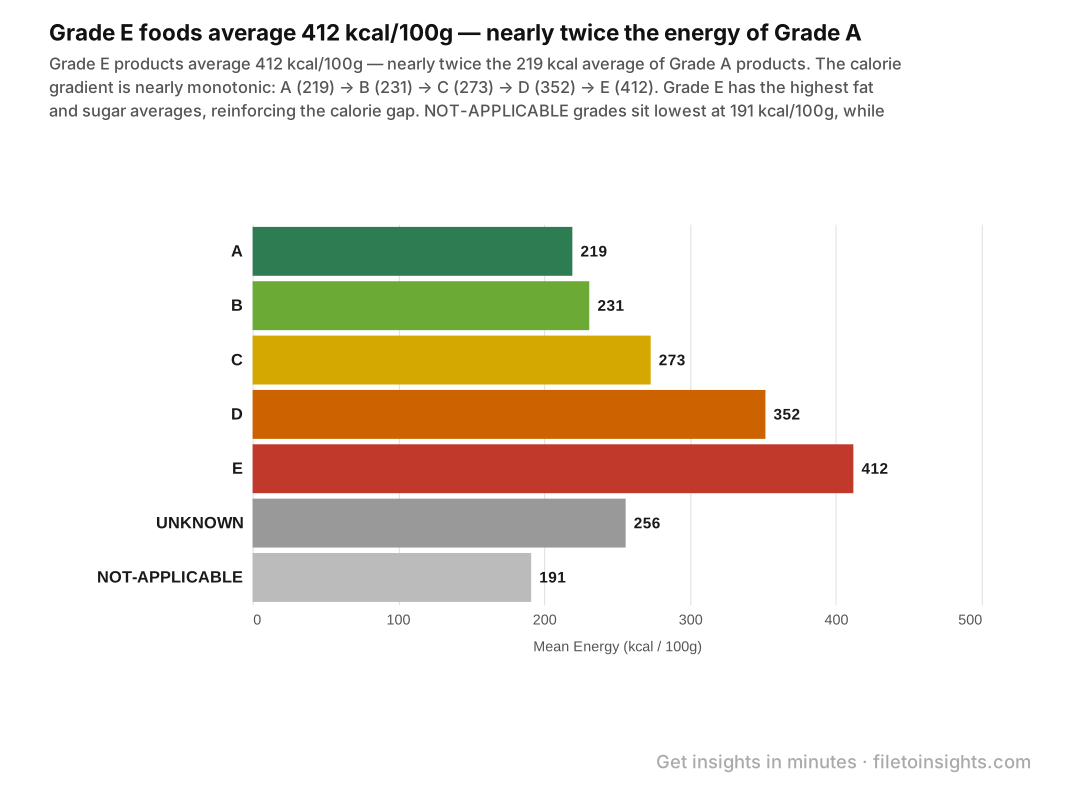
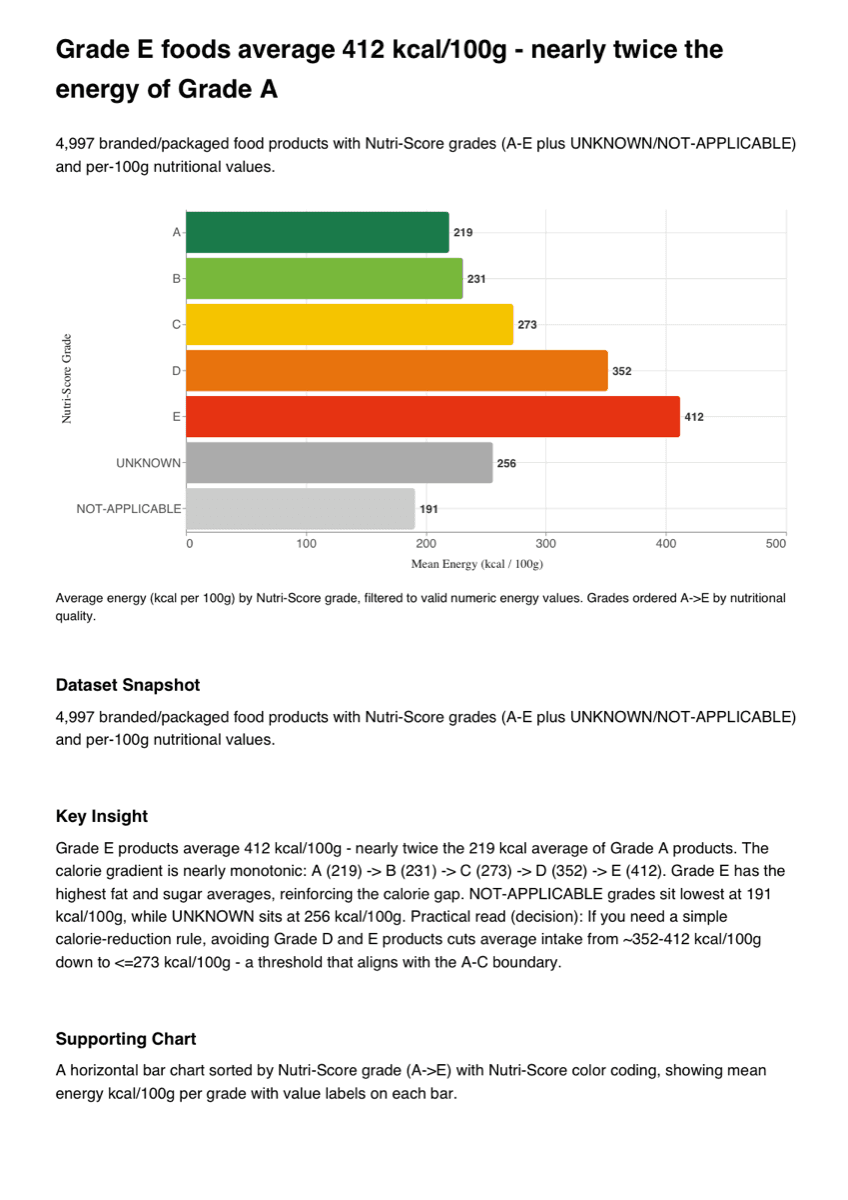
Grade E averages 412 kcal/100g — nearly twice Grade A at 219 kcal/100g.
Ask a follow-up
Publish your story
Export publication-ready. Share immediately.
When ready, export a single-page PDF — or PNG and SVG — containing the chart, key insight, and takeaway. Designed to be presentation-ready out of the box. No screenshots, no manual formatting, no post-processing needed.
- PDF includes chart + insight + takeaway on one page
- PNG and SVG for embedding in slides or docs
- Watermark-free on Starter and Pro plans
Three modes, one tool
The mode you pick shapes the chart type, layout, and insight framing. Choose based on what you actually need from the data.
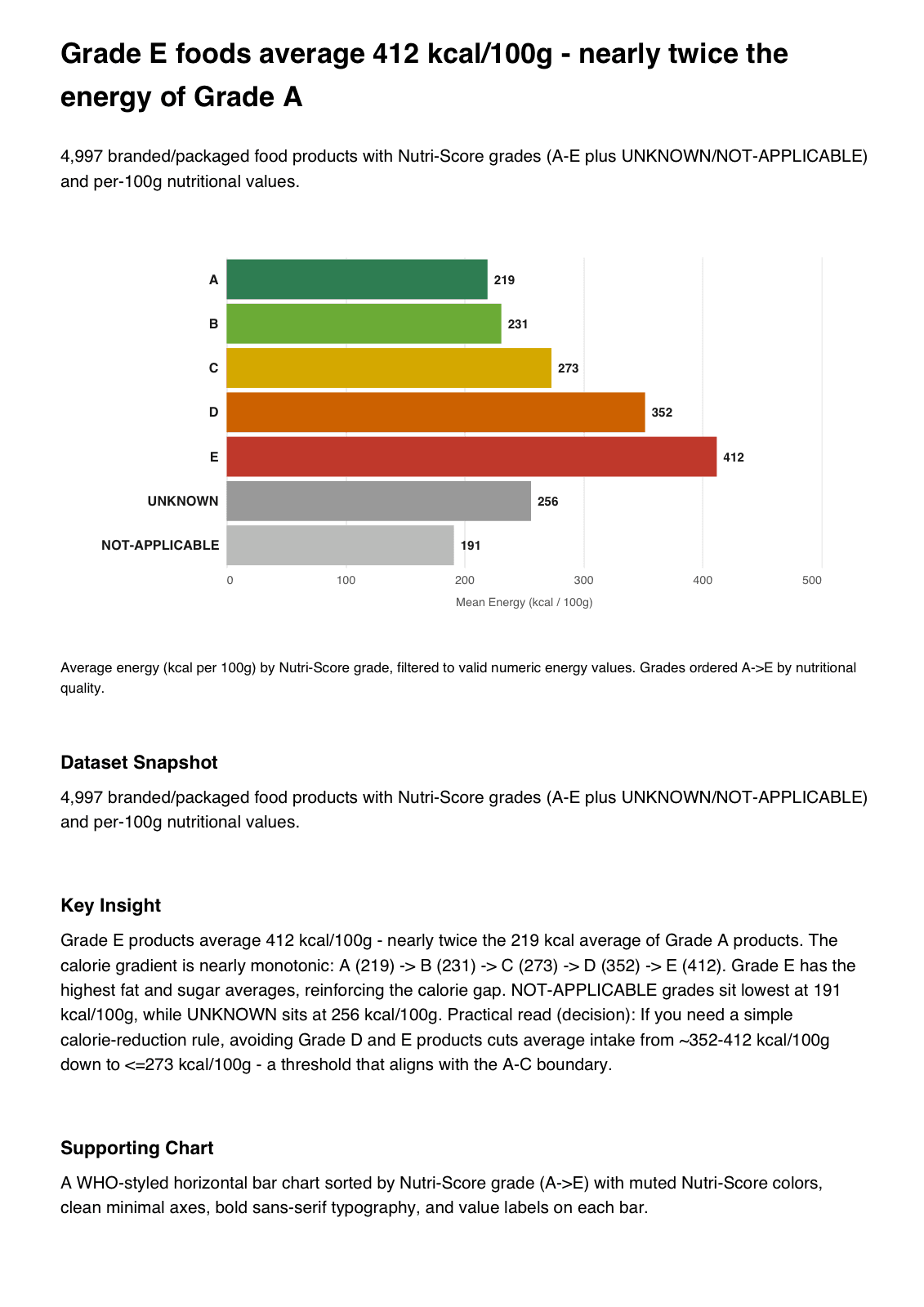
When you need to compare options or groups and support a clear call.
- Grouped or stacked bars
- Side-by-side comparisons
- Reference lines for benchmarks
 See example →
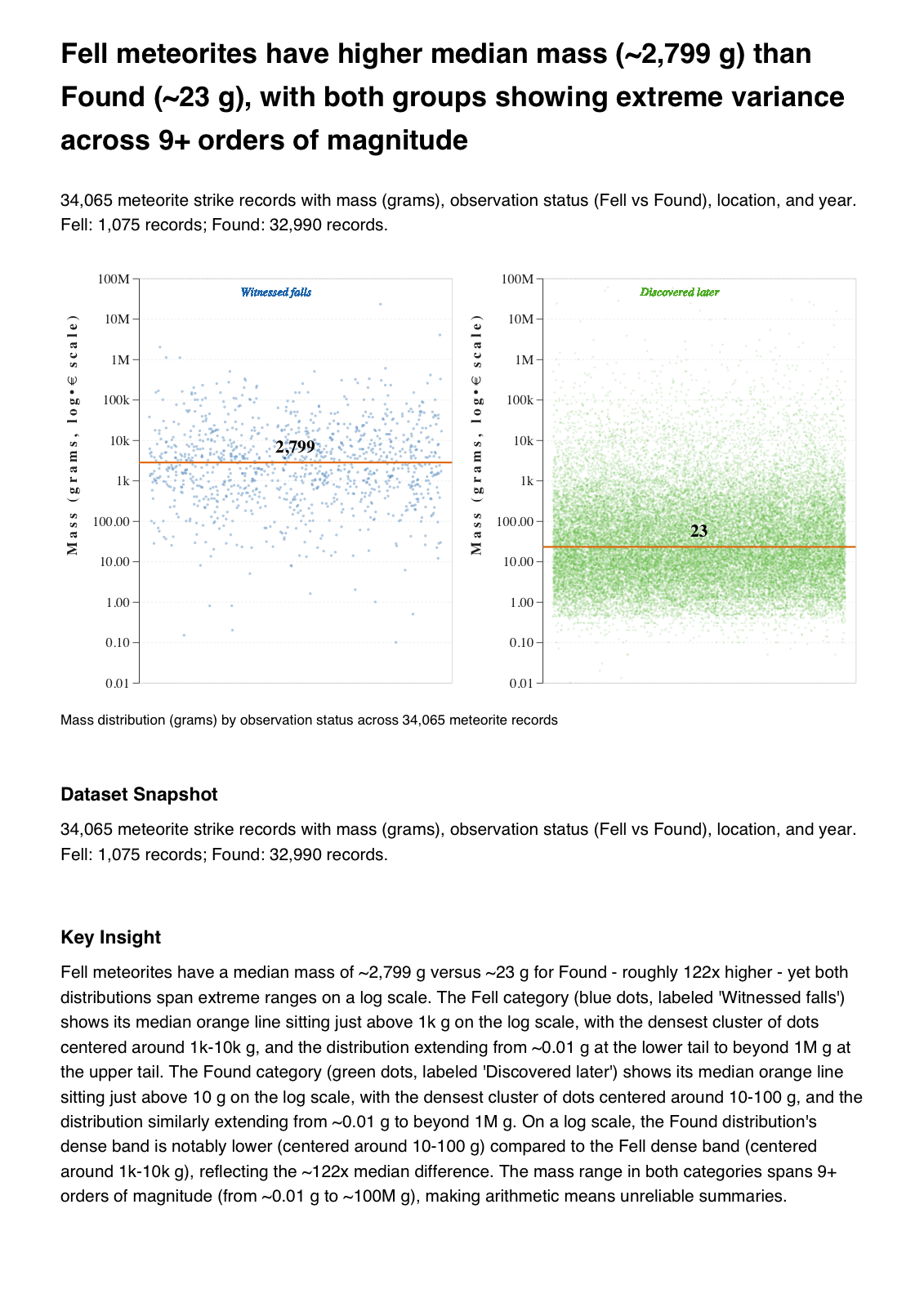
When you want to understand distributions, correlations, and outliers.
- Scatter plots, box plots, histograms
- Trend lines and confidence bands
- Multi-faceted breakdowns
 See example →
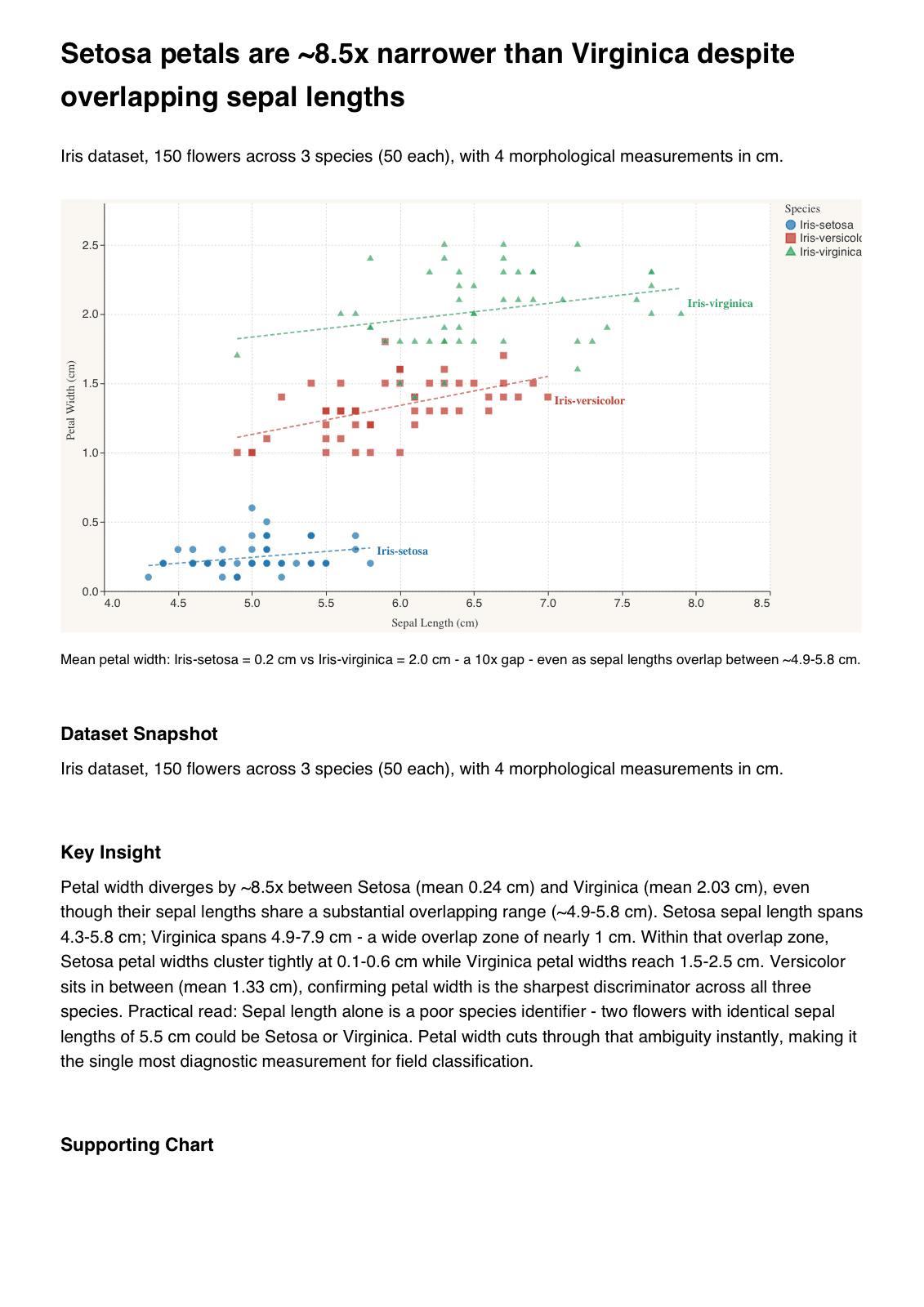
When you want one dramatic, shareable visual with a clear narrative.
- Editorial-styled chart
- Annotated scatter or line chart
- One bold view, one clear message
 See example →
Same data. Completely different conversation.
From a wall of rows to a clear, shareable story.
Before — Raw CSV
meteor_strikes.csv — 34,065 rows
| name | mass_g | fell_found | year | reclat | reclong |
|---|---|---|---|---|---|
| Aachen | 21 | Fell | 1880 | 50.775 | 6.083 |
| Aarhus | 720 | Fell | 1951 | 56.183 | 10.233 |
| Abee | 107000 | Fell | 1952 | 54.217 | -113.0 |
| Acapulco | 1914 | Fell | 1976 | 16.883 | -99.9 |
34,061 more rows...
Now what? Where do you even start?
After — AI-generated insight
Focus Question
“How does mass distribution vary between Fell and Found meteorites?”
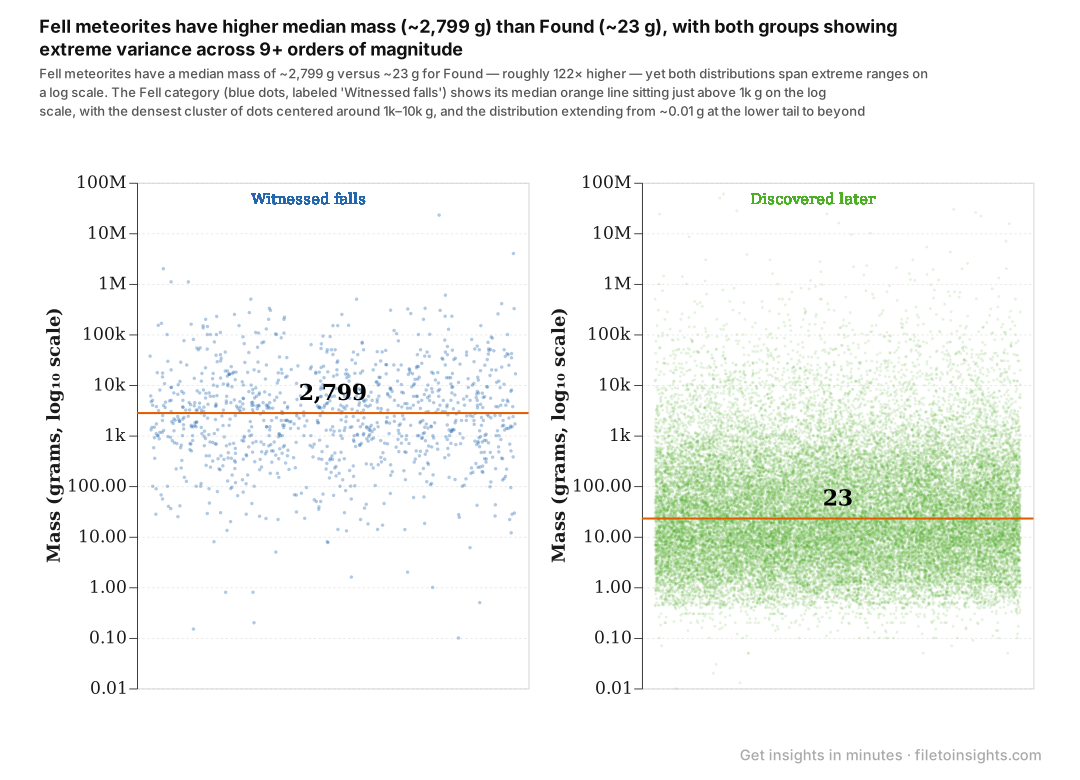
Key Insight
Fell meteorites have a median mass ~120× higher than Found ones, even though both groups span 9+ orders of magnitude.
A clear answer, grounded in the data.
Sense-making, not infrastructure
Optimized for exploration and fast communication — not a replacement for BI platforms or data pipelines.
Great fit
You need a fast answer from a dataset you just received
You're presenting findings to non-analysts
You want to explore the data before committing to Tableau or Power BI
You want a shareable chart in a slide or email without manual formatting
Not the right tool if...
You need a live, always-on dashboard
You need formal statistical modeling or hypothesis testing
You need ETL pipelines or data warehouse integration
Ready to tell your data story?
Upload a file and see what you can uncover in minutes. No credit card needed — 3 free insights included.